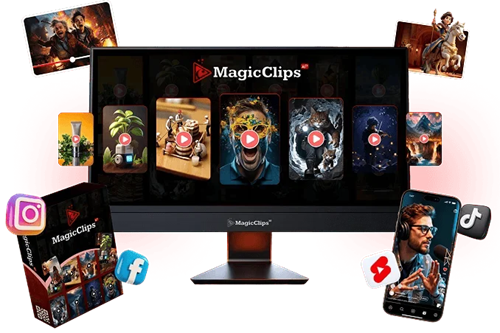
Magic Clips AI Review 2026 is a user friendly tool designed to create attractive short videos quickly for social media platforms.
Short form video is one of the most powerful content formats on the internet right now. TikTok, Instagram Reels, YouTube Shorts these platforms are driving billions of views every single day. If you have been watching from the sidelines, wondering how creators made content so consistently. You are not alone.
But here is the honest truth. Creating good short video content is hard. It take time, creativity, equipment and for many people, the confidence to appear on camera. Most of us do not have all of those things lined up at the same time.
That is where tools like Magic Clips AI come into the picture. I have spent time looking into this product. What it claims to do, how it actually works. who it is best suited for and where its limitations lie. This review is not a sales pitch. It is a genuine breakdown so you can make decision.
Disclosure: This post contains affiliate links. If you purchase through these links. I may earn a commission at no extra cost to you. This does not influence my honest assessment of the product.
What is Magic Clips AI Actually?
Magic Clips AI is a cloud based video creation tool designed specifically for short form content. You do not need to download any software, own a camera or have any video editing experience. The idea is simple you give the tool a prompt, a keyword or an image and it generates a short video for you. It can also create script, voiceover, background music also.
The platform targets creators who want to produce content for TikTok, YouTube Shorts. Instagram Reels and Facebook all under 60 seconds in length. This format is often called faceless content, meaning you never have to appear on camera. The AI handles the visual story telling.
It is worth setting realistic expectations here. Magic Clips AI is not a profession studio replacement. It is a productivity tool for people who want to publish content consistently without spending hours.
The Short Video and Why this Matters
Before diving into the product itself, it helps to understand why short video tools have become so popular.
Short form video has grown explosively over the past four years. TikTok alone has more than one billion active users globally. YouTube shorts surpassed daily views. Instagram Reels now dominate the platforms discovery algorithm. Brands and individual creators are all fighting for attention in this space.
The challenge is consistency. The algorithm rewards creators who post frequently daily or multiple times per week. For someone working a full time job, running a business not comfortable on camera, maintaining that pace is genuinely difficult.
This is the real problem tools like Magic Clips AI are trying to solve. Not whether you can make one great video, but whether you can make thirty good videos per month.
How Magic Clips AI Works
Step 1: Access the Dashboard
Everything runs in the browser. There is no software to install. Which means it works on Mac, Windows or even a tablet. Once you log in, you land on a clean dashboards with your video library, template categories and creation prompts.
Step 2 Input Your Idea
You can enter a keyword like Motivational quotes or dog training tips upload an image or use of the image. This AI then generates a script, selects matching visuals from its library, layers on voiceovers. All within about two minutes.
Step 3 Export or Publish
Once the video is generated. You can export it in HD or 4K or publish directly to connected platforms. The one click publishing feature is convenient if you are managing multiple accounts.
Key Features
Here is a breakdown of the features that actually matter, with some honest content on each.
Voiceover Library
This is one of the strongest points. Having access to a large library of AI voices means you can match the tone of you content. The professional, energetic, calm, storytelling without hiring a voice actor. The multilingual support is also genuinely useful if you are targeting audiences outside English speaking markets.
That said, AI voiceovers still sound like AI to a trained ear. They have improved significantly in recent years, but if you audience is used to highly polished production, this may be noticeable.
Voice Cloning
The voice cloning feature lets you train the AI on your own voice so vides can sound like you. Even without recording every clip individually. This is a meaningful feature for creators who want brand consistency without recording daily. It requires some setup and the quality depends on the sample audio you provide.
Auto Captions and Hashtag Generator
Captions are not optional anymore. Many viewers watch short videos without sound especially on mobile. The auto caption feature saves real time here. The AI hashtag generator is less critical. You can research hashtags yourself. But it is a convenient addition for beginners who are not yet familiar with platform strategy.
Drag and Drop Timeline Editor
For anyone who wants to more control. The timeline editor lets you rearrange clips, adjust timing, swap out visuals and customize the final output. This is important because not every AI generated video will be perfect on the first attempt. Having an editing layer gives you the ability to fix what does not work rather than starting from scratch.
Commercial License
The commercial license is included with the main product, Which means you can legally sell videos created with the tool to clients. This opens up freelancing possibilities creating short video content for small businesses, local brands or coaches. Who want to be active on social media but do not have the bandwidth to produce it themselves.
Who is This Tool Actually For?
It is easy for marketing copy to say this is for everyone. But that is rarely accurate. After looking at the features. The platform seems best suited for.
- Faceless content creators: People who want to build a social media presence without appearing on camera. Niches like motivation, educational tips, animal content and news commentary work well in this format.
- Affiliate Marketers: Those who promote products and want to create short review or explainer videos to drive traffic. The commercial license helps here.
- Freelancers and Small Agencies: If you can sell short video creation as a service to local businesses or online brands. This tool reduces your production time significantly.
- E-Commerce Store Owners: Product demo videos and catalog walk throughs are a natural fit for this type of tool.
- Bloggers and Course Creators: Anyone who already has written content and wants to repurpose it into short video clips for additional reach.
It is probably not the right fit for professional film makers, brands with strict visual identity guidelines or creators. Who already have efficient video production work flows in place.
Pricing
The base product is listed at a one time price of $16.97. Which provides lifetime access. this is positioned against a claimed regular price of $97 per month. It is worth noting that limited time pricing is a common sales tactic in the software as a service space and these deals do occassionaly expire.
There is an optional business upgrade available at $9.97 that adds faster processing servers, 500 additional templates, 150 trending audio tracks, 1,000 background options and 25,000 icons and stickers. If you plan to use the tool heavily for client work. This upgrade is worth considering.
The platform comes with a money back guarantee period. Which reduces the financial risk of trying it out. Check the exact terms at the time of purchase. The original post mentions both a 3 day and 30 day guarantee in different sections. So confirm which applies before buying.
At the price point advertised, the risk is low enough that trying it makes sense for anyone curious about short video production. Just go in with realistic expectations about what an AI tool at this price tier can deliver.
Honest Assessment: Strengths and Limitations
Where it Works Well
- Speed: Going from an idea to a finished clip in under two minutes is genuinely useful. For high volume publishing. This is the core value proposition.
- Accessibility: No design experience required. The learning curve is low, which is important for beginners.
- Language Reach: The 80+ language support means you can create content for non English audiences. Which is an underserved space in many niches.
- No Recurring Fees (at Current Price): One time access eliminate the monthly subscription anxiety that comes with many content creation tools.
Where it Has Limitations
- AI Voice Quality: Realistic but not indistinguishable from a human voice. If authenticity is critical to your brand. This may be a drawback.
- Template Driven Look: Videos created with shared templates can start to look similar over time. Customization helps, but there is a ceiling on how unique the output will feel.
- Platform Rules Evolve: YouTube, TikTok and Instagram all have evolving policies on AI generated content and affiliate disclosures. You are responsible for staying complaint. The tool does not manage this for you.
- Passive Income is Not Automatic: The tool can help you create content faster. But views, followers and income require strategy, consistency and understanding of your audience. The tool does not replace the thinking.
Practical Tips for Getting Real Results
If you decide to try Magic Clips AI. Here are some practices that will help you get genuine value out of it.
- Pick a specific niche before you start. Broad channels rarely build audiences. Channels around per care, personal finance, cooking hacks or productivity tend to attract consistent followers because the audience knows what to expect.
- Add your own layer to AI generated content. Change the intro, adjust the script tone or add a personal insight at the end. This makes content feel less generic and more aligned with your brand.
- Post consistently, but do not sacrifice quality for volume. Three good videos per week will outperform seven mediocre ones. Use the time you save to think more carefully about what your audience actually needs.
- Study your analytics. After a month of publishing, look at which videos get more views, higher watch time and better engagement. Then make more of those.
- If offering video services to clients, create sample reels for a specific niche and use those as your portfolio. Reaching out to local businesses with a demo is more effective than cold pitching.
- Always include required disclosures. If a video contains affiliate links or was created with AI tools, say so clearly. Transparency build trust and trust is what converts viewers into customers over time.
Final Thoughts
Magic Clips AI solves a real problem. It makes short video creation faster and more accessible for people who otherwise would not be able to produce it consistently.
At its current price point, The barrier to entry is low. If you have been meaning to start a YouTube Shorts or TikTok, channel but keep putting it off because of the technical complexity. A tool like this removes most of those obstacles. That has genuine value. But the tool is not magic. The name aside. Building an audience takes time. Earning real income from social media requires consistency, a clear strategy and content that actually resonates with people. AI tools accelerate the production side of that equation. The strategy side is still entirely up to you.
If you approach it with realistic expectations as a production and rather than an income machine. It has the potential to be a genuinely useful part of your content workflow.
Disclosure: This post contains affiliate links. If you purchase through these links. I may earn a commission at no extra cost to you. This does not influence my honest assessment of the product.

I am Vivek, a digital marketer and blogger based in India with 3+ years of experience testing online tools and software.